
Product walkthrough
See how a product becomes a lead
Follow buyer discovery and domestic sourcing with the screenshots below, or book a walkthrough using a product you make or want to source.
Start with the product
Give your products a common reference
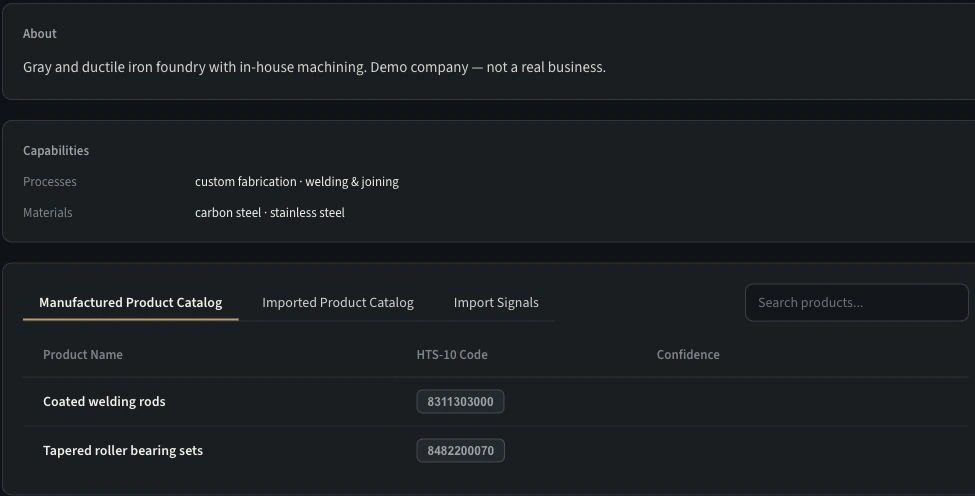
Reshore classifies domestic products as if they were imports, using Harmonized Tariff Schedule codes to connect manufacturer catalogs with import records. A company profile adds the processes, materials, and contact details behind the product.
Manufacturing sales
Find a buyer with a reason to talk
Buyer Leads shows the matching product, the evidence behind the grade, and shipment history. Review the company and reach out about the products you can supply; a printable Buyer Briefing can support that outreach.
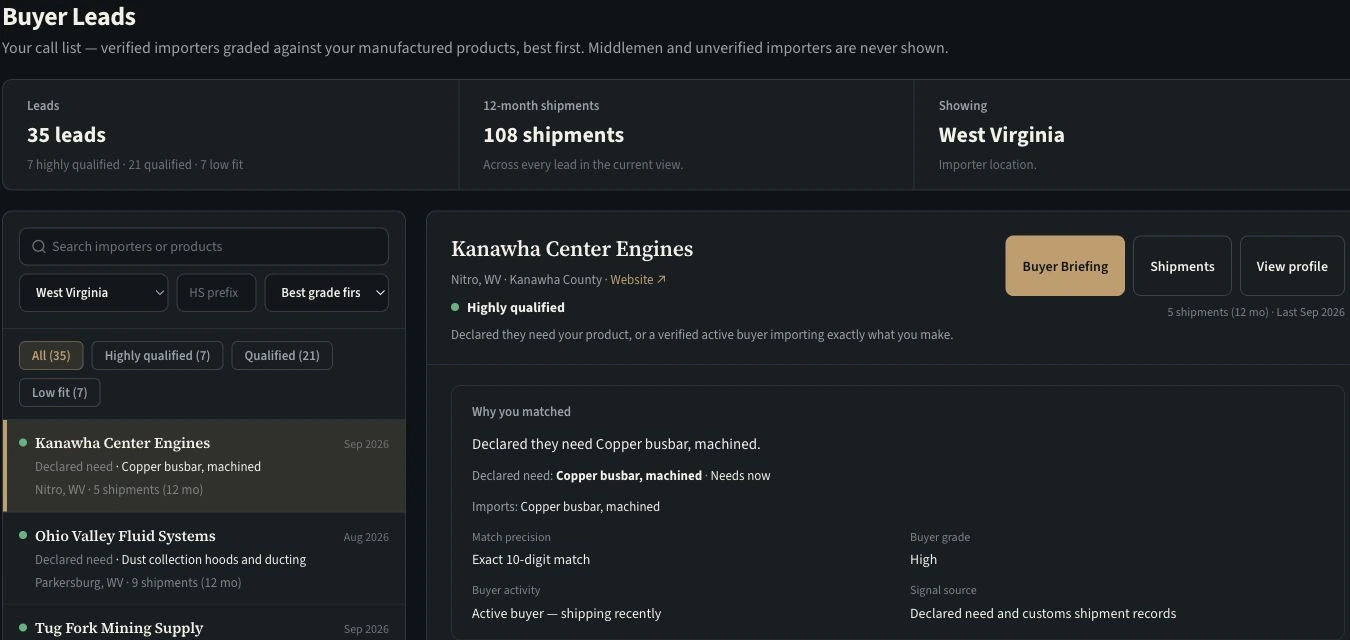
“Highly qualified” is a product lead grade based on the match and demand evidence. It does not mean the buyer has agreed to purchase.
Read how buyer matching worksDomestic sourcing
Build a supplier shortlist around what you need
Sourcing Leads connects imported products with listed domestic makers. For a new local sourcing project, search products and capabilities, review the company profile, and discuss the job with the manufacturer.
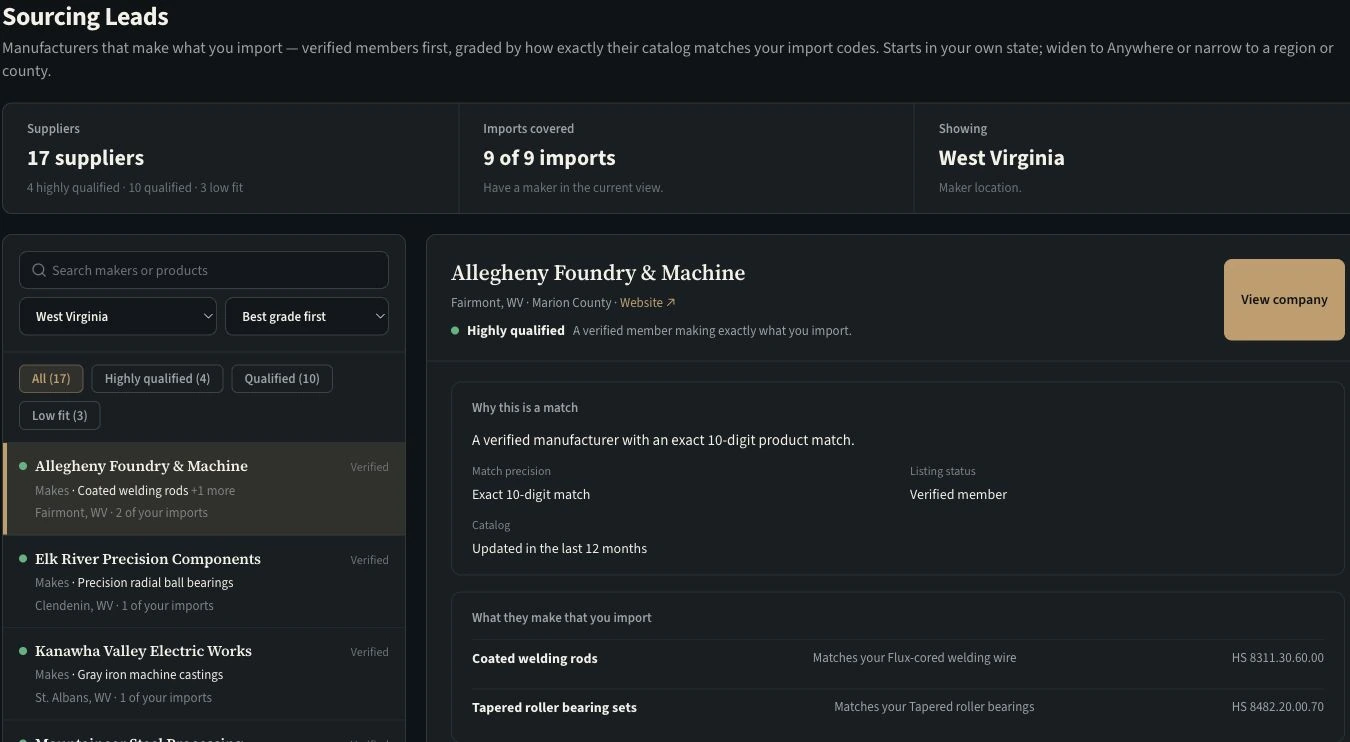
The screenshot’s exact match means the same ten-digit product code. “Verified member” describes an account run by an approved user, rather than an audit of the supplier’s manufacturing quality or capacity.
Explore supplier researchBring a product to a personal walkthrough
Choose a time on our calendar and bring a product you make or want to source.